day11前端基础/day11 前端基础
day11 前端基础
- day11,前端基础 & 认识
- day12,前端进阶
课程目标:前端基础 & 认识
- 前端行业的认知 & 课程设计的相关内容
- 实战案例 & 面试(3个)
- HTML、CSS、JS相关内容,案例:加载、模态框、菜单、TAB切换、返回顶部。
1. 行业认知
专业的前端开发:
- 基础入门:HTML、CSS、JavaScript、jQuery、BootStrap【类比python函数、数据类型、模块等】
- 前端分离框架:
- vue.js
- react.js
- angular.js
- 学习app开发:
- react-native,开发ios和安卓app
- uni-app,开发ios和安卓app
- 微信小程序开发
- 微信自己的框架,与vue.js极其相似
- 学习一门后端语言
- node.js,最简单的。
- Python
- Go
- Java
想往全栈方向发展,侧重点:前端。
对于咱们《Python全栈开发》,侧重点:后端。
- 基础入门:HTML、CSS、JavaScript、jQuery、BootStrap。【第5模块 Web前端开发】 + Django框架 =》 ”简单“的项目。
- vue.js 框架:路飞学城项目。【第9模块 路飞项目】 =》 ”复杂“的项目。
- vue.js 框架-前端
- django + drf框架-python
- 路飞业务(项目)
- 微信小程序开发 【第12模块】
自己就具备自学能力,去搞定 uni-app(建议) 和 react-native。
我给大家的定位:
-
去公司做Python开发
-
稍微有规模公司,不会让你写前端代码。
-
初创型公司
-
接私活赚钱
-
前端 + 后端:5k、2w、10w
- app + 前端 + 后端
- 微信小程序 + 后端
关于直播课:
- day11,前端基础,HTML、CSS、JavaScript、jQuery、BootStrap。
- day12,前端进阶,vue.js、微信小程序
2. 快速来一遍
https://pythonav.com/wiki/
- 学前必备
- 第一章 HTML
- 第二章 CSS(一)
- 第三章 CSS(二)
- 第四章 JavaScript
- 第五章 jQuery (js的类库,模块:动态功能100行,jQuery=10行 -》 动态效果)
- 第六章 BootStrap (类库:好看样式 + 现成的功能)
我的学习经历:
- 最开始:HTML、CSS、jQuery(多、杂)
- 独立开发平台:找了一个网站模仿(实现功能为主) --> 美乐乐
标准:看到任何网站,利用前端知识就可以开发出一个跟他长得一样的东西。
3. 知识点 & 案例
3.1 函数
需求,定义一个函数并且立即去执行这个函数。
另外的作用,作用域的划分:
<!DOCTYPE html>
<html lang="en">
<head>
    <meta charset="UTF-8">
    <title>Title</title>
</head>
<body>
<script type="text/javascript">
    (function () {
        var v1 = 123;
        var v2 = 456;

        function f1() {
            console.log(v1);
        }
    })()

    (function () {
        var v1 = 666;
        var v2 = 999;

        function f1() {
            console.log(v1);
        }
    })()

</script>
</body>
</html>
3.2 js中的作用域
注意:我给你讲的以下知识点不涵盖es6的语法。
- “JavaScript中无块级作用域”
- ”JavaScript采用函数作用域“
- 关于作用域链
<!DOCTYPE html>
<html lang="en">
<head>
    <meta charset="UTF-8">
    <title>Title</title>
</head>
<body>
<script type="text/javascript">
    xo = 'alex';

    function Func() {
        // var xo = "seven";

        function inner() {
            // var xo = 'alvin';
            console.log(xo);
        }

        inner();
    }


    Func();

</script>
</body>
</html>
xo = 'alex';

function Func(){
    var xo = "seven";
    function inner(){
        console.log(xo);
    }
    return inner;
}
var ret = Func();
ret();
- JavaScript的作用域链执行前已创建
xo = 'alex';

function Func(){
    var xo = "seven";
    function inner(){
        console.log(xo);
    }
    return inner;
}

var ret = Func();
ret();
xo = 'alex';

function Func(){
    var xo = "eirc";
    function inner(){
        console.log(xo);
    }
    xo = 'seven';
    return inner;
}

var ret = Func();
ret();
xo = 'alex';
function Bar(){
    console.log(xo);
}

function Func(){
    var xo = "seven";

    return Bar;
}

var ret = Func();
ret();
- 声明提前
3.3 this到底是个啥?
<!DOCTYPE html>
<html lang="en">
<head>
    <meta charset="UTF-8">
    <title>Title</title>
</head>
<body>
<script type="text/javascript">
    v1 = "alex"
    function f1() {
        var v1 = "eric";
        console.log(this.v1); // alex
        console.log(v1); // eric
    }
    // window.v1    window.f1
    window.f1();

</script>
</body>
</html>
name = "alex";

info = {
    name:"eric",
    age:123,
    func:function(){
        console.log(this);      // info
        console.log(this.name); // info.name => eric
    }
}

info.func()
name = "alex";

info = {
    name:"eric",
    age:123,
    func:function(){
        // 作用域,this=info
        console.log(this.name); // info.name => eric
        function f1(){
            // 作用域 this=window
            console.log(this.name); // window.name => alex
        }
        f1(); // window.f1()
    }
}

info.func()

// 函数在执行 window
name = "alex";

info = {
    name:"eric",
    age:123,
    func:function(){
        // 作用域,this=info
        console.log(this.name); // info.name => eric
        (function(){
            // 作用域,this=window
            console.log(this.name);  // alex
        })();
    }
}

info.func()

// 函数在执行 window
name = "alex";

info = {
    name:"eric",
    age:123,
    func:function(){
        // 作用域,this=info;  that = info;
        var that = this;
        (function(){
            // this=window
            console.log(that.name);  // info.name => eric
        })();
    }
}

info.func()

// 函数在执行 window
注意:es6语法, let & 箭头函数
3.4 闭包
需求来了,假设我给你一个数组。
imageList = [
    "https://hcdn2.luffycity.com/media/frontend/public_class/web1@2x(1)_1566529822.6339395.png",
    "https://hcdn2.luffycity.com/media/frontend/public_class/PY1@2x_1566529821.1110113.png",
    "https://hcdn2.luffycity.com/media/frontend/course/小程序列表图.png",
];
请读取三个URL并创建3个img标签,将img图片添加到页面中。
<div id='container'>
    <img src="https://hcdn2.luffycity.com/media/frontend/public_class/web1@2x(1)_1566529822.6339395.png" />
    ...
</div>
并且为 img标签绑定点击事件, 点击显示这个URL在列表中的索引位置。
示例1
<!DOCTYPE html>
<html lang="en">
<head>
    <meta charset="UTF-8">
    <title>Title</title>
    <style>
        #container img{
            width: 400px;
            margin-left: 20px;
        }
    </style>
</head>
<body>
<div id="container">

</div>

<script type="text/javascript">
    imageList = [
        "https://hcdn2.luffycity.com/media/frontend/public_class/web1@2x(1)_1566529822.6339395.png",
        "https://hcdn2.luffycity.com/media/frontend/public_class/PY1@2x_1566529821.1110113.png",
        "https://hcdn2.luffycity.com/media/frontend/course/小程序列表图.png",
    ];

    function init() {
        for (var i = 0; i < imageList.length; i++) {
            console.log(i); // 0  1   2
            var tag = document.createElement("img"); // <img />
            tag.src = imageList[i];   // <img src="https://hcdn2.luffycity.com/..."/>

            tag.onclick = function(){  // <img src="https://hcdn2.luffycity.com/..." onclick=函数/>
                alert(i);
            }

            document.getElementById("container").appendChild(tag);
        }
    }

    init();

</script>
</body>
</html>
问题就是:如果定义了函数,函数不执行,函数内容内部代码。
示例2
<!DOCTYPE html>
<html lang="en">
<head>
    <meta charset="UTF-8">
    <title>Title</title>
    <style>
        #container img{
            width: 400px;
            margin-left: 20px;
        }
    </style>
</head>
<body>
<div id="container">

</div>

<script type="text/javascript">
    imageList = [
        "https://hcdn2.luffycity.com/media/frontend/public_class/web1@2x(1)_1566529822.6339395.png",
        "https://hcdn2.luffycity.com/media/frontend/public_class/PY1@2x_1566529821.1110113.png",
        "https://hcdn2.luffycity.com/media/frontend/course/小程序列表图.png",
    ];

    function init() {
        for (var i = 0; i < imageList.length; i++) {
            console.log(i); // 0  1   2
            var tag = document.createElement("img"); // <img />
            tag.src = imageList[i];   // <img src="https://hcdn2.luffycity.com/..."/>

            // <img src="https://hcdn2.luffycity.com/..." onclick=函数/>
            tag.onclick = (function (arg) {
                return function () {
                    alert(arg);
                }
            })(i);
            document.getElementById("container").appendChild(tag);
        }
    }

    init();

</script>
</body>
</html>
示例3
<!DOCTYPE html>
<html lang="en">
<head>
    <meta charset="UTF-8">
    <title>Title</title>
    <style>
        #container img {
            width: 400px;
            margin-left: 20px;
        }
    </style>
</head>
<body>
<div id="container">

</div>

<script type="text/javascript">
    imageList = [
        "https://hcdn2.luffycity.com/media/frontend/public_class/web1@2x(1)_1566529822.6339395.png",
        "https://hcdn2.luffycity.com/media/frontend/public_class/PY1@2x_1566529821.1110113.png",
        "https://hcdn2.luffycity.com/media/frontend/course/小程序列表图.png",
    ];

    function init() {
        for (var i = 0; i < imageList.length; i++) {
            console.log(i); // 0  1   2
            var tag = document.createElement("img"); // <img />
            tag.src = imageList[i];   // <img src="https://hcdn2.luffycity.com/..."/>
            tag.setAttribute('xx', i);
            tag.onclick = function () {
                // 找到当前点击的标签,获取xx属性。
            }

            document.getElementById("container").appendChild(tag);
        }
    }

    init();

</script>
</body>
</html>
4.前端案例
4.1 返回顶部
- 如何一个固定在屏幕右下角。
- 点击,滚动条到最上面。
<!DOCTYPE html>
<html lang="en">
<head>
    <meta charset="UTF-8">
    <title>Title</title>
</head>
<body>
<div style="height: 2000px;background-color: #ddd"></div>
<div style="height: 2000px;background-color: dodgerblue"></div>

<div onclick="goTop();"
     style="height: 100px;width: 100px;border: 1px solid red; position: fixed;right: 100px;bottom: 200px;">
    返回顶部
</div>

<script src="jquery-1.8.2.min.js"></script>
<script type="text/javascript">
    function goTop() {
        console.log("返回顶部");
        $(window).scrollTop(0);
    }
</script>
</body>
</html>
4.2 模态框
- 页面的分层:z-index
- 透明度
- 添加
display:none
<!DOCTYPE html>
<html lang="en">
<head>
    <meta charset="UTF-8">
    <title>Title</title>
    <style>
        .hide {
            display: none;
        }
    </style>
</head>
<body>
<div>第一层第一层第一层第一层第一层第一层第一层
    <button onclick="show();">点击</button>
</div>

<div id="v1" class="hide"
     style="position: fixed;left: 0;right: 0;top: 0;bottom: 0;background-color: black;z-index: 1000; opacity: 0.6"></div>

<div id="v2" class="hide"
     style="position: fixed;width:500px;height:300px;background-color: white;z-index: 1001;left: 50%;margin-left: -250px;top:100px;">

    <button onclick="goHide();">点击</button>

</div>
<script src="jquery-1.8.2.min.js"></script>
<script type="text/javascript">

    function show() {
        $("#v1").removeClass("hide");
        $("#v2").removeClass("hide");
    }

    function goHide() {
        $("#v1").addClass("hide");
        $("#v2").addClass("hide");
    }
</script>
</body>
</html>
4.3 加载框
- 页面的分层:z-index
- 透明度
- 添加
display:none
<!DOCTYPE html>
<html lang="en">
<head>
    <meta charset="UTF-8">
    <title>Title</title>
    <style>
        .hide {
            display: none;
        }
    </style>
</head>
<body>
<div>
    阿斯顿福建;阿可接受的;副科级阿斯蒂芬
    阿斯顿发士大夫IU怕会计法is寄刀片;佛教的说法
    <input type="button" value="发送请求" onclick="sendMessage();"/>
</div>

<div id="v1" class="hide"
     style="position: fixed;left: 0;right: 0;top: 0;bottom: 0;background-color: white;z-index: 1000; opacity: 0.6"></div>

<div id="v2" class="hide"
     style="position: fixed;width:32px;height:32px;background-color: white;z-index: 1001;left: 50%;margin-left: -16px;top:300px;">

    <img src="imgs/5-121204193R5-50.gif" style="width: 100%;">

</div>
<script src="jquery-1.8.2.min.js"></script>
<script type="text/javascript">
    function sendMessage() {

        $("#v1,#v2").removeClass('hide');
        setTimeout(function () {
            $("#v1,#v2").addClass('hide');
        }, 2000)

    }
</script>
</body>
</html>
4.4 左侧菜单
<!DOCTYPE html>
<html lang="en">
<head>
    <meta charset="UTF-8">
    <title>Title</title>
    <style>
        .head {
            padding: 10px;
            background-color: gold;
            cursor: pointer;
        }

        .content a {
            display: block;
            padding: 5px;
        }

        .hide {
            display: none;
        }
    </style>
</head>
<body>
<div style="width: 20%;height:800px;float: left;background-color:#ddd;">
    <div class="item">
        <div class="head">菜单1</div>
        <div class="content hide">
            <a href="#">功能1</a>
            <a href="#">功能2</a>
            <a href="#">功能3</a>
        </div>
    </div>

    <div class="item">
        <div class="head">菜单2</div>
        <div class="content hide">
            <a href="#">功能1</a>
            <a href="#">功能2</a>
            <a href="#">功能3</a>
        </div>
    </div>

    <div class="item">
        <div class="head">菜单3</div>
        <div class="content hide">
            <a href="#">功能1</a>
            <a href="#">功能2</a>
            <a href="#">功能3</a>
        </div>
    </div>

</div>
<div style="width: 80%;height:800px;float: left;background-color: burlywood;"></div>

<script src="jquery-1.8.2.min.js"></script>
<script type="text/javascript">
    $(function () {
        $(".head").click(function () {
            // $(this).next().removeClass('hide');
            $(this).next().toggleClass('hide');
        });
    })
</script>
</body>
</html>
4.5 菜单栏切换
<!DOCTYPE html>
<html lang="en">
<head>
    <meta charset="UTF-8">
    <title>Title</title>
    <style>
        body {
            margin: 0 auto;
            font-family: Arial;
            _font-family: 宋体, Arial;
            font-size: 12px;
        }

        body, dl, dt, dd, ul, ol, li, h1, h2, h3, h4, h5, h6, pre, code, form, fieldset, legend, input, button, textarea, p, blockquote, th, td, figure, div {
            margin: 0;
            padding: 0;
        }

        ol, ul, li {
            list-style: none;
        }

        a {
            cursor: pointer;
            text-decoration: none;
        }

        /*a:hover{
            color: #F60 !important;
            text-decoration: underline;
        }*/
        img {
            border: none;
            border-width: 0px;
        }

        table {
            border-collapse: collapse;
            border-spacing: 0;
        }

        .red {
            color: #c00 !important;
        }

        .m8 {
            margin: 8px;
        }

        .mt10 {
            margin-top: 10px;
        }

        .mt20 {
            margin-top: 20px;
        }

        .mr5 {
            margin-right: 5px;
        }

        .ml5 {
            margin-left: 5px;
        }

        .ml10 {
            margin-left: 10px;
        }

        .mb10 {
            margin-bottom: 10px;
        }

        .pt18 {
            padding-top: 18px;
        }

        .pt20 {
            padding-top: 20px;
        }

        .pb20 {
            padding-bottom: 20px;
        }

        .nbr {
            border-right: 0px;
        }

        .font12 {
            font-size: 12px;
        }

        .font14 {
            font-size: 14px;
        }

        .font16 {
            font-size: 16px;
        }

        .bold {
            font-weight: bold;
        }

        .left {
            float: left;
        }

        .right {
            float: right;
        }

        .hide {
            display: none;
        }

        .show {
            display: table;
        }

        .clearfix {
            clear: both;
        }

        .clearfix:after {
            content: ".";
            display: block;
            height: 0;
            clear: both;
            visibility: hidden;
        }

        * html .clearfix {
            zoom: 1;
        }

        .container {
            width: 1190px;
            margin-left: auto;
            margin-right: auto;

        }

        .group-box-1 .title {
            height: 33px;
            line-height: 33px;
            border: 1px solid #DDD;
            background: #f5f5f5;
            padding-top: 0;
            padding-left: 0;

        }

        .group-box-1 .title .title-font {
            display: inline-block;
            font-size: 14px;
            font-family: 'Microsoft Yahei', 'SimHei';
            font-weight: bold;
            color: #333;
            padding-left: 10px;
        }

        .group-box-1 .body {
            border: 1px solid #e4e4e4;
            border-top: none;
        }

        .tab-menu-box1 {
            border: 1px solid #ddd;
            margin-bottom: 20px;
        }

        .tab-menu-box1 .menu {
            line-height: 33px;
            height: 33px;
            background-color: #f5f5f5;
        }

        .tab-menu-box1 .content {
            min-height: 100px;
            border-top: 1px solid #ddd;
            background-color: white;
        }

        .tab-menu-box1 .menu ul {
            padding: 0;
            margin: 0;
            list-style: none;
            /*position: absolute;*/
        }

        .tab-menu-box1 .menu ul li {
            position: relative;
            float: left;
            font-size: 14px;
            font-family: 'Microsoft Yahei', 'SimHei';
            text-align: center;
            font-size: 14px;
            font-weight: bold;
            border-right: 1px solid #ddd;
            padding: 0 18px;
            cursor: pointer;
        }

        .tab-menu-box1 .menu ul li:hover {
            color: #c9033b;
        }

        .tab-menu-box1 .menu .more {
            float: right;
            font-size: 12px;
            padding-right: 10px;
            font-family: "宋体";
            color: #666;
            text-decoration: none;
        }

        .tab-menu-box1 .menu a:hover {
            color: #f60 !important;
            text-decoration: underline;
        }

        .tab-menu-box1 .menu .current {
            margin-top: -1px;
            color: #c9033b;
            background: #fff;
            height: 33px;
            border-top: 2px solid #c9033b;
            z-index: 10;
        }

        .tab-menu-box-2 .float-title {
            display: none;
            top: 0px;
            position: fixed;
            z-index: 50;
        }

        .tab-menu-box-2 .title {
            width: 890px;
            border-bottom: 2px solid #b20101;
            border-left: 1px solid #e1e1e1;
            clear: both;
            height: 32px;
        }

        .tab-menu-box-2 .title a {
            float: left;
            width: 107px;
            height: 31px;
            line-height: 31px;
            font-size: 14px;
            font-weight: bold;
            text-align: center;
            border-top: 1px solid #e1e1e1;
            border-right: 1px solid #e1e1e1;
            /*background: url(/Content/images/bg4.png?3) 0 -308px repeat-x;*/
            text-decoration: none;
            color: #333;
            cursor: pointer;
        }

        .tab-menu-box-2 .title a:hover {
            background-position: -26px -271px;
            text-decoration: none;
            color: #fff;
        }

        .tab-menu-box-2 .content {
            min-height: 100px;
            background-color: white;
        }


        .tab-menu-box3 {
            border: 1px solid #ddd;
        }

        .tab-menu-box3 .menu {
            line-height: 33px;
            height: 33px;
            background-color: #f5f5f5;
        }

        .tab-menu-box3 .content {
            height: 214px;
            border-top: 1px solid #ddd;
            background-color: white;
        }

        .tab-menu-box3 .menu ul {
            padding: 0;
            margin: 0;
            list-style: none;
            /*position: absolute;*/
        }

        .tab-menu-box3 .menu ul li {
            position: relative;
            float: left;
            font-size: 14px;
            font-family: 'Microsoft Yahei', 'SimHei';
            text-align: center;
            font-size: 14px;
            width: 50%;
            cursor: pointer;
        }

        .tab-menu-box3 .menu ul li:hover {
            color: #c9033b;
        }

        .tab-menu-box3 .menu .more {
            float: right;
            font-size: 12px;
            padding-right: 10px;
            font-family: "宋体";
            color: #666;
            text-decoration: none;
        }

        .tab-menu-box3 .menu a:hover {
            color: #f60 !important;
            text-decoration: underline;
            font-weight: bold;
        }

        .tab-menu-box3 .menu .current {

            margin-top: -1px;
            color: #c9033b;
            background: #fff;
            height: 33px;
            border-top: 2px solid #c9033b;
            z-index: 10;
            font-weight: bold;

        }
    </style>
</head>
<body>
<div class='container'>
    <div class='tab-menu-box1'>
        <div class='menu'>
            <ul id='tab-menu-title'>
                <li class='current' content-to='1'>价格趋势</li>
                <li content-to='2'>市场分布</li>
                <li content-to='3'>其他</li>
            </ul>
        </div>

        <div id='tab-menu-body' class='content'>
            <div content='1'>content1</div>
            <div content='2' class='hide'>content2</div>
            <div content='3' class='hide'>content3</div>
        </div>
    </div>
</div>

<script src="jquery-1.8.2.min.js"></script>
<script type='text/javascript'>
    $(function () {
        ChangeTab('#tab-menu-title', '#tab-menu-body');
    })

    function ChangeTab(title, body) {
        $(title).children().bind("click", function () {
            $menu = $(this);
            $content = $(body).find('div[content="' + $(this).attr("content-to") + '"]');
            $menu.addClass('current').siblings().removeClass('current');
            $content.removeClass('hide').siblings().addClass('hide');
        });
    }
</script>
</body>
</html>
上述案例都是自己手动写的,你在开发中用到类似于这种功能:
- 自己写? 【其他基础上+加工】
- 用其他现成的?【优先】
5.现成的UI框架
非前后端分离,你们学完django之后,开发非前后端分离项目时候都可以用这些UI来开发。
- bootstrap
- layui
- fineui
- easyui
当你学完vue.js,前后端分离的框架之后:
- elementui
- ant
当你在开发的过程中,发现UI组件能完成80%,其他 10%,需要借助其他组件。 另外的10%自己可以在原有的基础上进行加工和改造。
- 图标
- http://www.fontawesome.com.cn/faicons/
- https://www.iconfont.cn/
- 图标
- https://www.highcharts.com.cn/
- https://echarts.apache.org/examples/zh/index.html
- 时间选择
- https://github.com/skedgo/DateTimeRangePicker
对于学习前端的态度:
- 我可以不自己动手写,我的懂。
- 现在开发时,优先选择第三方。
6. 忠告
不要在一些无关紧要的事大下功夫。
- 实现功能为主,辅助
- 后端功能 + 后端代码专业度。
正式在公司开发:
- UI,设计页面。
- 前端,HTML、CSS、JS。
- 后端,后端代码。(主)
问题
- 路飞的登录验证码。
- django 2 还是 3?
-
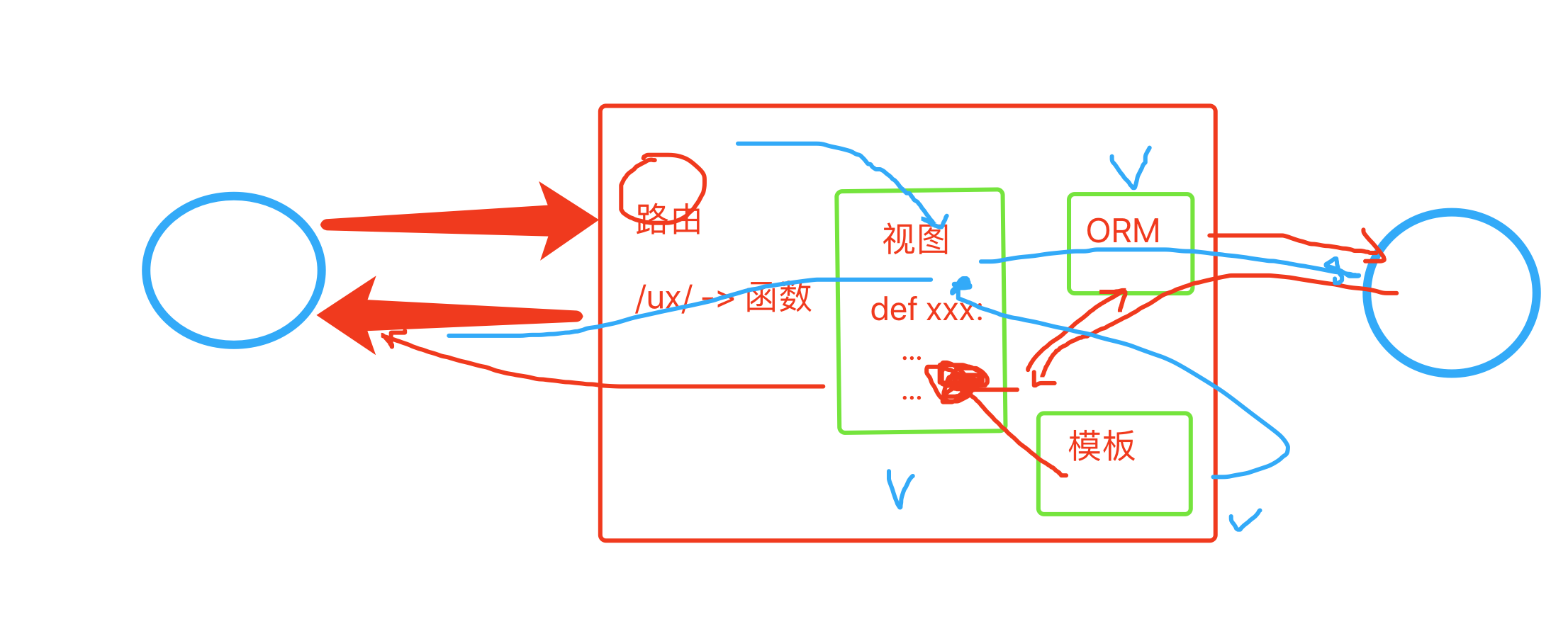
django有些迷糊?
-
上传和下载?
- 上传。
- 页面上传的区域,组件。
- 背后的具体上传动作实现,自己代码写。
- 下载,文件。(bug管理项目)